Receipt Verify
Part of Pro Version. Seven features come bundled with Pro — this is one of them.
What this does for you
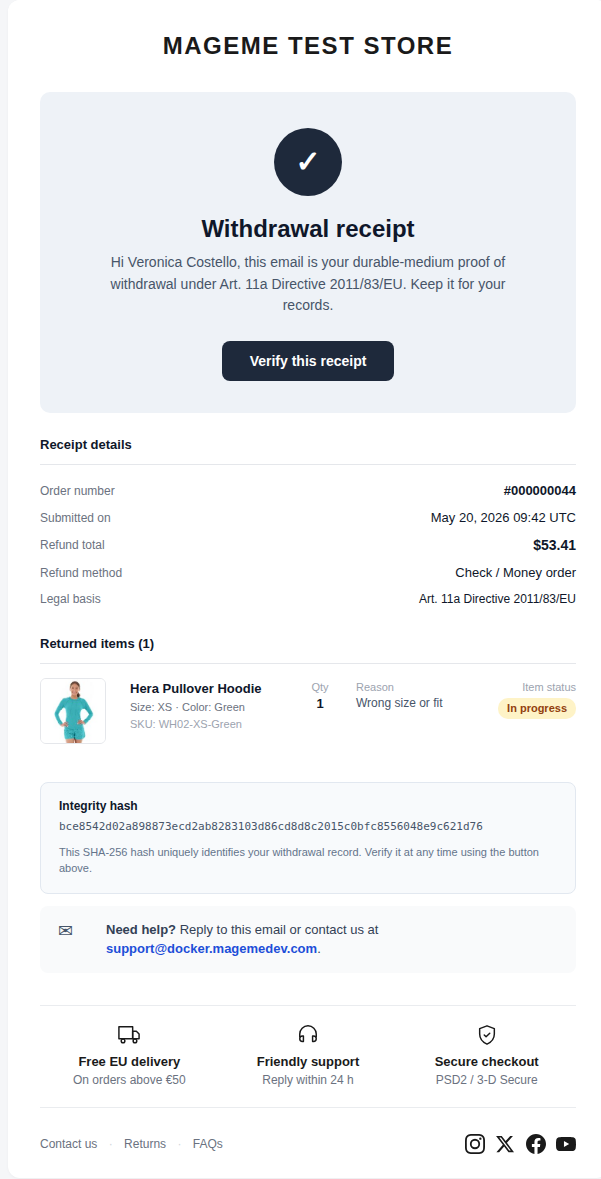
Every cancellation confirmation email gets a "Verify this receipt" button. Anyone holding the receipt — your customer, a regulator, a lawyer, a court — can click it and instantly see whether the receipt is genuine and unchanged.
If a customer ever says "I never got that confirmation" or "the figures don't match", you don't argue: you point to the button. One click answers the question.
Why it matters
Cancellation receipts are evidence. In disputes, the question is rarely "did you send the email?" — it's "is the email they're showing now the same email you sent?". Without verification, you have no way to prove a forwarded screenshot wasn't edited.
Receipt Verify settles this with a single click. The verification page works for anyone, even if they're not logged in — your customer can show the result to their lawyer, your support team can confirm authenticity over the phone.
What your customer sees
In the receipt email
The standard cancellation receipt now includes a prominent Verify this receipt button, and a unique reference code at the bottom of the email:
After clicking Verify
Clicking the button opens a public verification page that confirms — or denies — the receipt's authenticity:
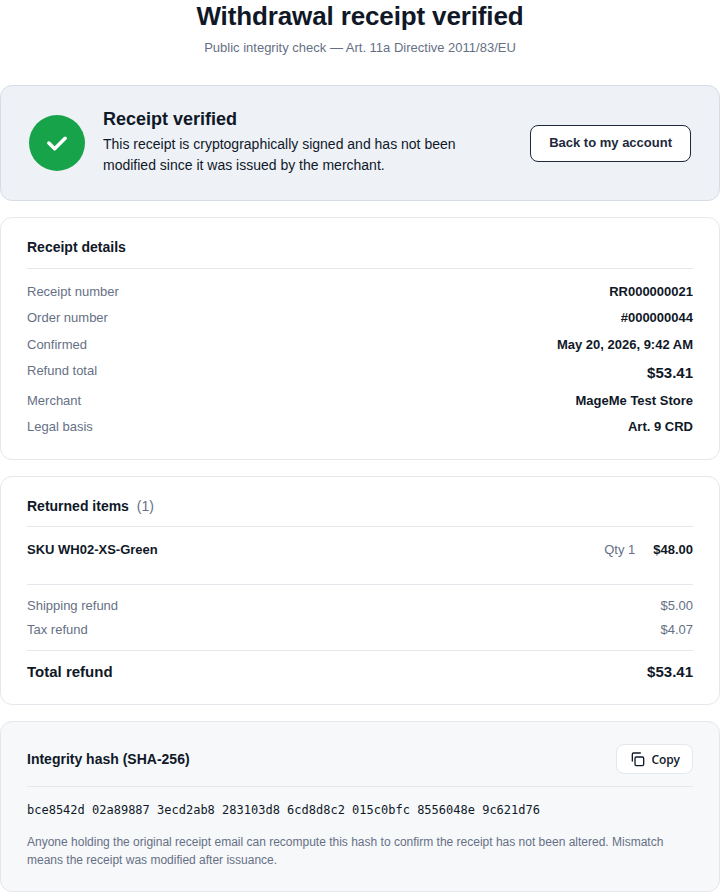
The page works whether the visitor is your customer, a regulator they've forwarded the email to, or a court clerk. Nobody needs to log in. The result is immediate.
If the email was modified in any way — figures changed, items added, the date altered — the verification page shows a red "not verified" result instead. That's how you and your customer both know something has been tampered with.
What you see in the admin
Nothing new. Receipt Verify works silently in the background — every cancellation receipt your store sends from now on automatically gets the verify button. You don't tick a checkbox to enable it on a per-cancellation basis; it's always on.
Settings
Receipt Verify has no settings of its own. It activates the moment you install the Pro Version and starts protecting every receipt from that point forward.
Receipts that were already sent before you upgraded to Pro cannot get a Verify button retroactively — only new receipts (or receipts you resend after the upgrade) include the button.
When you'd use this
- You sell across the EU, especially to markets where cancellation disputes are common (Germany, Netherlands)
- You've ever had a customer dispute the contents of a cancellation email
- You want to give your support team a one-click way to confirm an email is genuine
- You expect a regulator review and want every receipt to carry its own proof
When the free version is enough
If your store rarely deals with cancellation disputes, and customers trust the emails they receive, the free receipt may be enough. Receipt Verify becomes valuable specifically when authenticity is questioned — if that never happens, you may not need it.
Need help?
Write to support@mageme.com if you want us to help you test the Verify button on a sample receipt before going live, or if you'd like to walk through a typical dispute scenario with us.