Zoho CRM Integration Add-on
Installation
You need to have WebForms Pro 3 installed prior to this add-on installation.
Install the package with commands:
composer require mageme/module-webforms-3-zoho
php bin/magento module:enable MageMe_WebFormsZoho
php bin/magento setup:upgrade
Update
Update the package with commands:
composer update
php bin/magento setup:upgrade
Remove
Uninstall the package with command:
composer remove mageme/module-webforms-3-zoho
Sample forms
You can import sample forms using Import Form in the Manage Forms page:
System Configuration
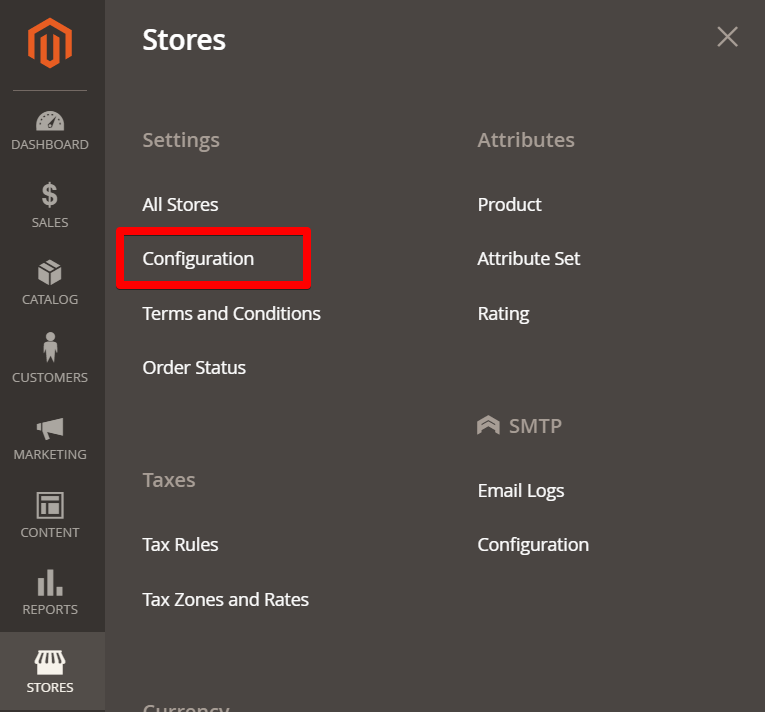
You can access the system configuration through the Stores > Configuration > WebForms admin page.
Zoho Integration Add-on
General settings that are required to connect Zoho CRM / Desk and Magento.
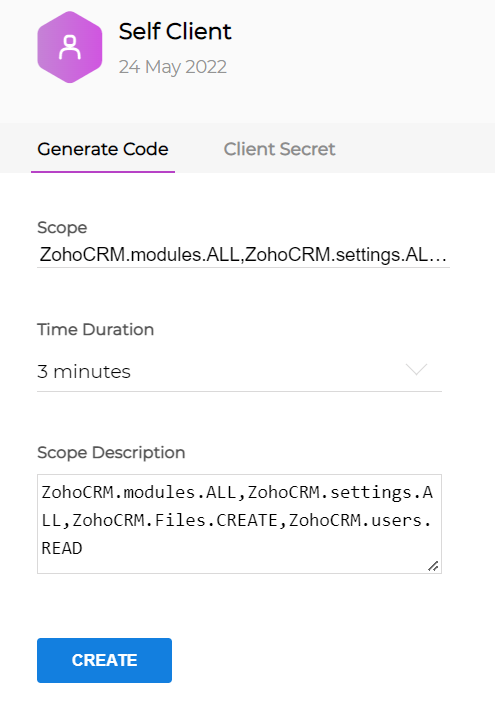
- Please create Self Client in the Zoho Api Console if you don't have it.
- Paste the following cod in the Scope parameter of the Self Client and press the Create button. After that copy/paste received Code value into the Magento configuration.
ZohoCRM.modules.ALL, ZohoCRM.settings.ALL, ZohoCRM.Files.CREATE, ZohoCRM.users.READ, Desk.basic.READ,
Desk.settings.READ, Desk.tickets.CREATE, Desk.tickets.UPDATE, Desk.contacts.READ, Desk.contacts.CREATE
Domain
Your Zoho domain which you connect to.
Client ID
Your Zoho Self Client "Client ID".
Client Secret
Your Zoho Self Client "Client Secret".
Code
Your Zoho Self Client "Code". Please click on Save Config after you paste in the code.
Token
Click on "Generate Token" button to create new access token for integration. You can generate the token after you paste and save the Code from the Self Client popup. Please click on Save Config after you generate the token.
Form Configuration
Edit the form on Manage Forms page and select the Zoho Integration Settings tab to access registration parameters.
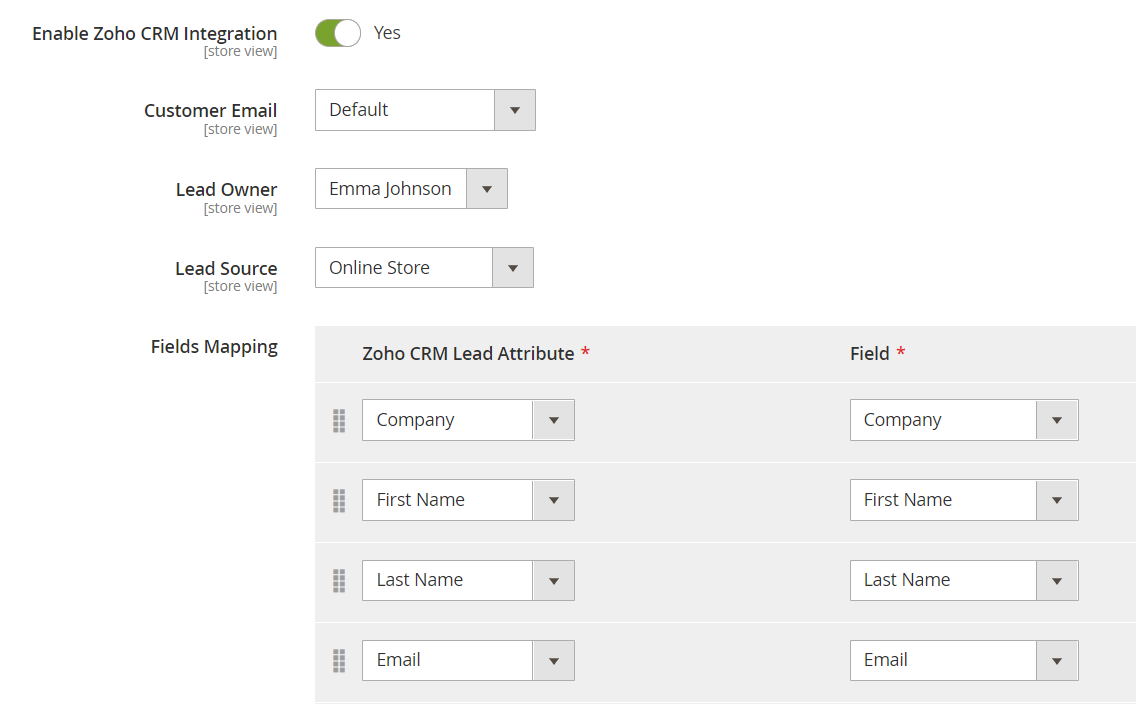
Enable Zoho Integration
Enable or disable Zoho integration for the form.
Lead Owner
Map Zoho user to the created lead record.
Lead Source
Set the lead source from the available list which can be configured in Zoho admin panel.
Customer Email
Map Zoho customer account email to the form email input.
If you leave at Default value the first found Email input type field will be used. If there is no Email input field in the form then the logged in customer email will be used instead.
Fields Mapping
Map Zoho contact attributes to form fields.
Tags
Assign Zoho tags to new contacts.