Product Inquiry Add-on
Installation
You need to have WebForms Pro 3 installed prior to this add-on installation.
Install the package with commands:
composer require mageme/module-webforms-3-product-request
php bin/magento module:enable MageMe_WebFormsProductRequest
php bin/magento setup:upgrade
Update
Update the package with commands:
composer update
php bin/magento setup:upgrade
Remove
Uninstall the package with command:
composer remove mageme/module-webforms-3-product-request
Sample forms
You can import sample forms using Import Form in the Manage Forms page:
System Configuration
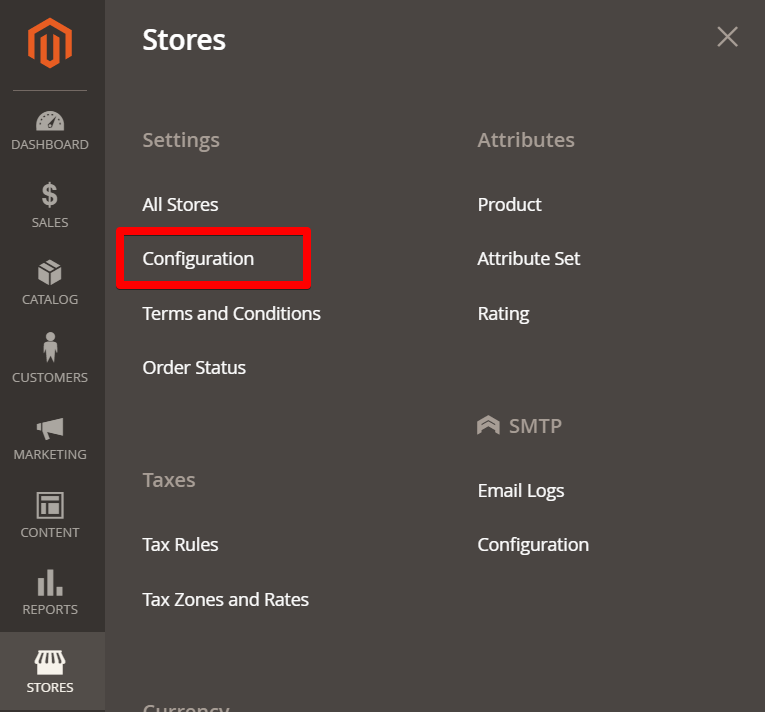
You can access the system configuration through the Stores > Configuration > WebForms admin page.
Product Inquiry Add-on
Enable Add-on
Enable or disable the add-on functionality.
Scope
Select how you want to embed the button on catalog pages.
Categories
Select which categories the button should be added to.
Show Button For
Select which type of clients can see the "Get Quote" button.
Form
Select the quote request form from the list.
Show In
Select areas of the site where to show the button.
Button Selector View
Set the selector for precise placement of the button in the product view page.
Button Selector List
Set the selector for precise placement of the button in the product listings.
Button Text
Set the custom text for the button.
Custom Button CSS Classes
Set the custom CSS classes for the button.
Custom Popup CSS Classes
Set the custom CSS classes for the popup.
Hyvä Theme Compatibility
Install the Hyvä compatibility module:
composer require mageme/module-webforms-3-product-request-hyva
php bin/magento module:enable MageMe_WebFormsProductRequestHyva
php bin/magento setup:upgrade
The core WebForms Hyvä compatibility module must be installed first.