HubSpot CRM Integration Add-on
Installation
You need to have WebForms Pro 3 installed prior to this add-on installation.
Install the package with commands:
composer require mageme/module-webforms-3-hubspot
php bin/magento module:enable MageMe_WebFormsHubspot
php bin/magento setup:upgrade
Update
Update the package with commands:
composer update
php bin/magento setup:upgrade
Remove
Uninstall the package with command:
composer remove mageme/module-webforms-3-hubspot
Sample forms
You can import sample forms using Import Form in the Manage Forms page:
System Configuration
You can access the system configuration through the Stores > Configuration > WebForms admin page.
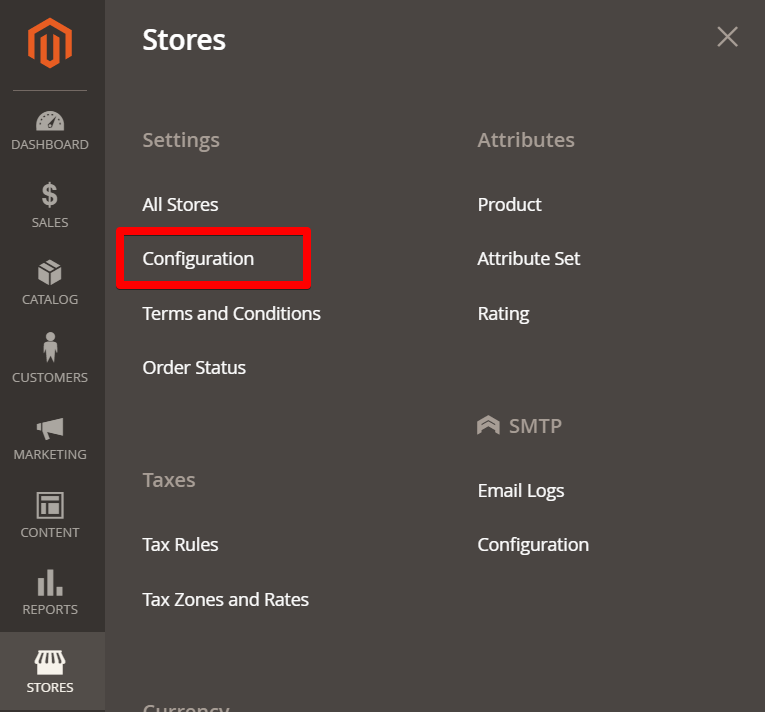
HubSpot Integration Add-on
Please create new Private App in the HubSpot Preferences > Integrations > Private Apps page.
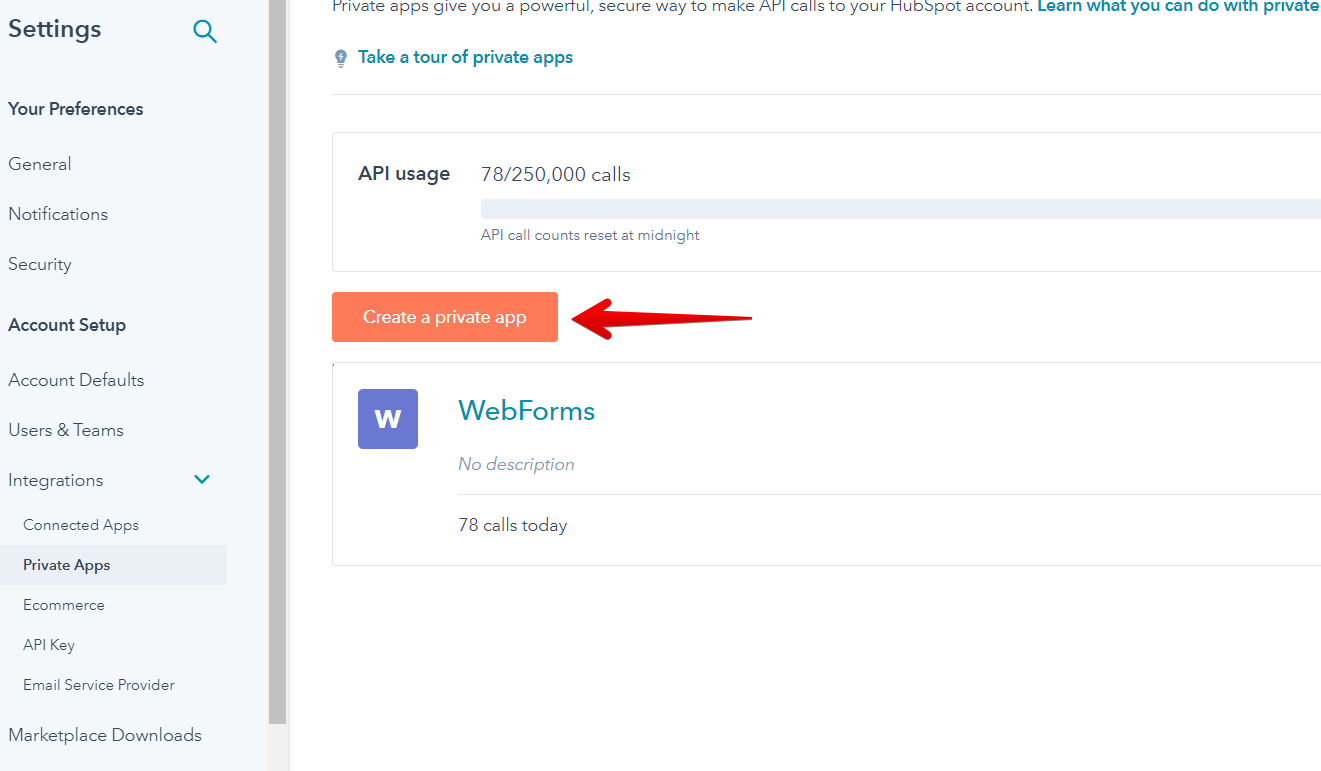
Select following scopes:
- files
- tickets
- crm.lists.read
- crm.objects.contacts.read
- crm.objects.contacts.write
- crm.objects.companies.write
- crm.schemas.contacts.read
- crm.objects.companies.read
- crm.schemas.companies.read
- crm.objects.owners.read
Paste acquired Access Token in the HubSpot Integration Add-on configuration page.
Access Token
Paste your HubSpot private app Access Token here.
Show All Properties
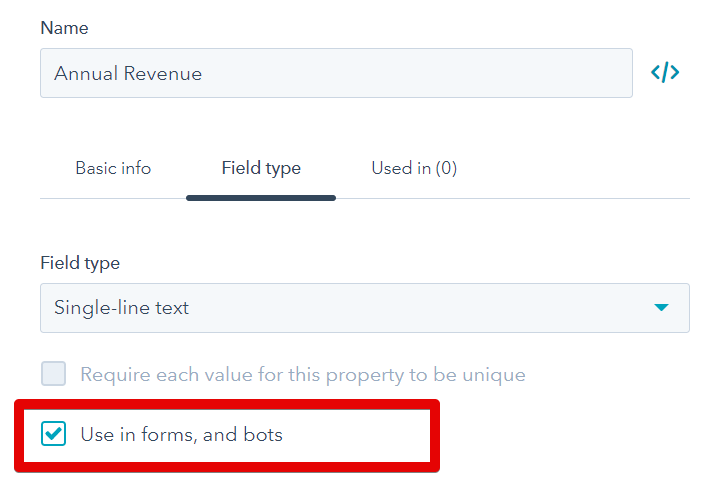
By default, you will only see properties which have "Use in forms" checked in your HubSpot admin panel. By enabling this option you will be able to browse properties without this option checked.
Form Configuration
Edit the form on Manage Forms page and select the HubSpot Integration Settings tab to access integration parameters.
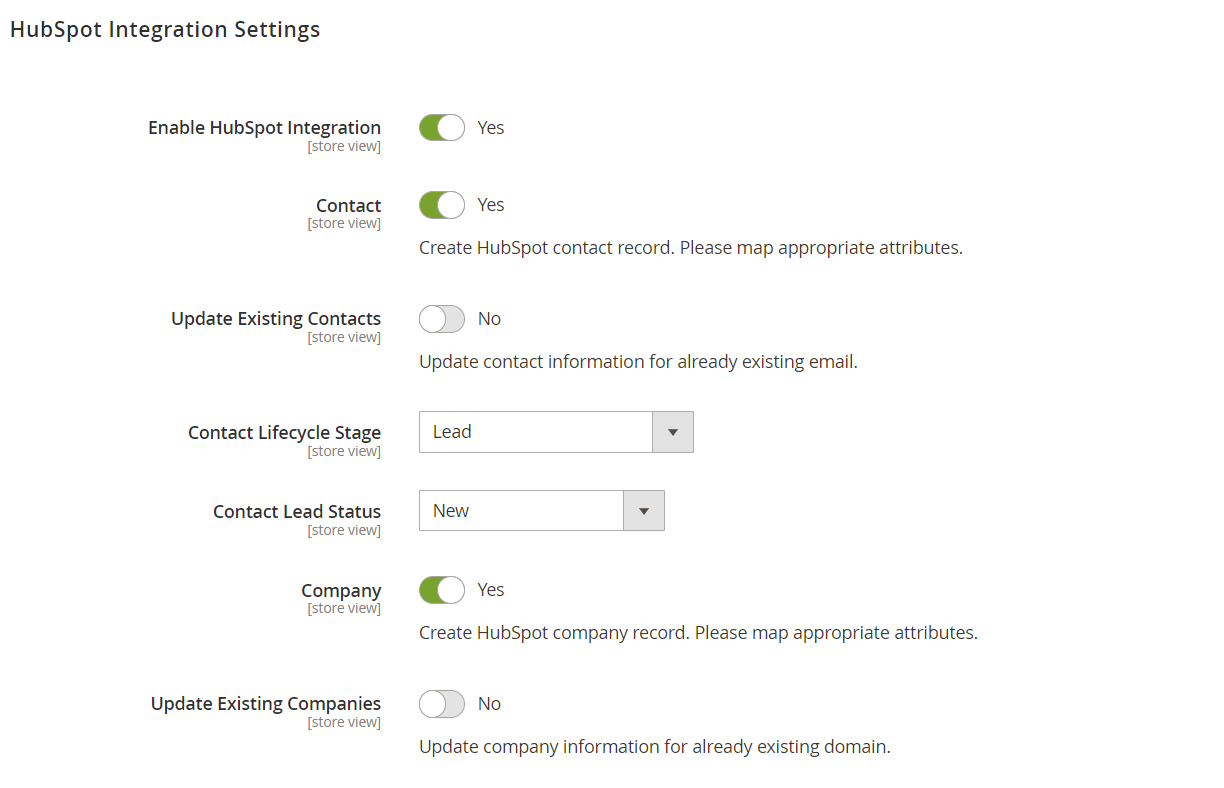
Enable HubSpot Integration
Enable or disable HubSpot integration for the form.
Contact
Please enable to create new contacts in HubSpot CRM.
Update Existing Contacts
Update the contact information for existing contact email. If disabled, the submitted data will be ignored for existing contacts.
Contact Lifecycle Stage
Set the type of the contact to create.
Contact Lead Status
Set the initial status of the contact that is created.
Company
Please enable to create HubSpot company records.
Update Existing Companies
Update company information for existing company domain. If disabled, the submitted data will be ignored for existing companies.
Ticket
Please enable to create new tickets in HubSpot CRM.
Ticket Pipeline
Select desired pipeline for the new ticket.
Ticket Status
Set the default ticket status.
Ticket Priority
Set the default ticket priority.
Ticket Source
Set the default ticket source.
Customer Email
Select the field that will be used as a contact email.
Owner
Set the default owner for created contact, company and/or a ticket.
Fields Mapping
Map HubSpot attributes to form fields.
Please map all required attributes for the form to work properly. If required attributes are not mapped the contact, company or ticket won't be created in the HubSpot.