Print To PDF Add-on
Installation
You need to have WebForms Pro 3 installed prior to this add-on installation.
Install the package with commands:
composer require mageme/module-webforms-3-print
php bin/magento module:enable MageMe_WebFormsPrint
php bin/magento setup:upgrade
Update
Update the package with commands:
composer update
php bin/magento setup:upgrade
Remove
Uninstall the package with command:
composer remove mageme/module-webforms-3-print
Form Configuration
Edit the form on Manage Forms page and select the Print Settings tab to access registration parameters.
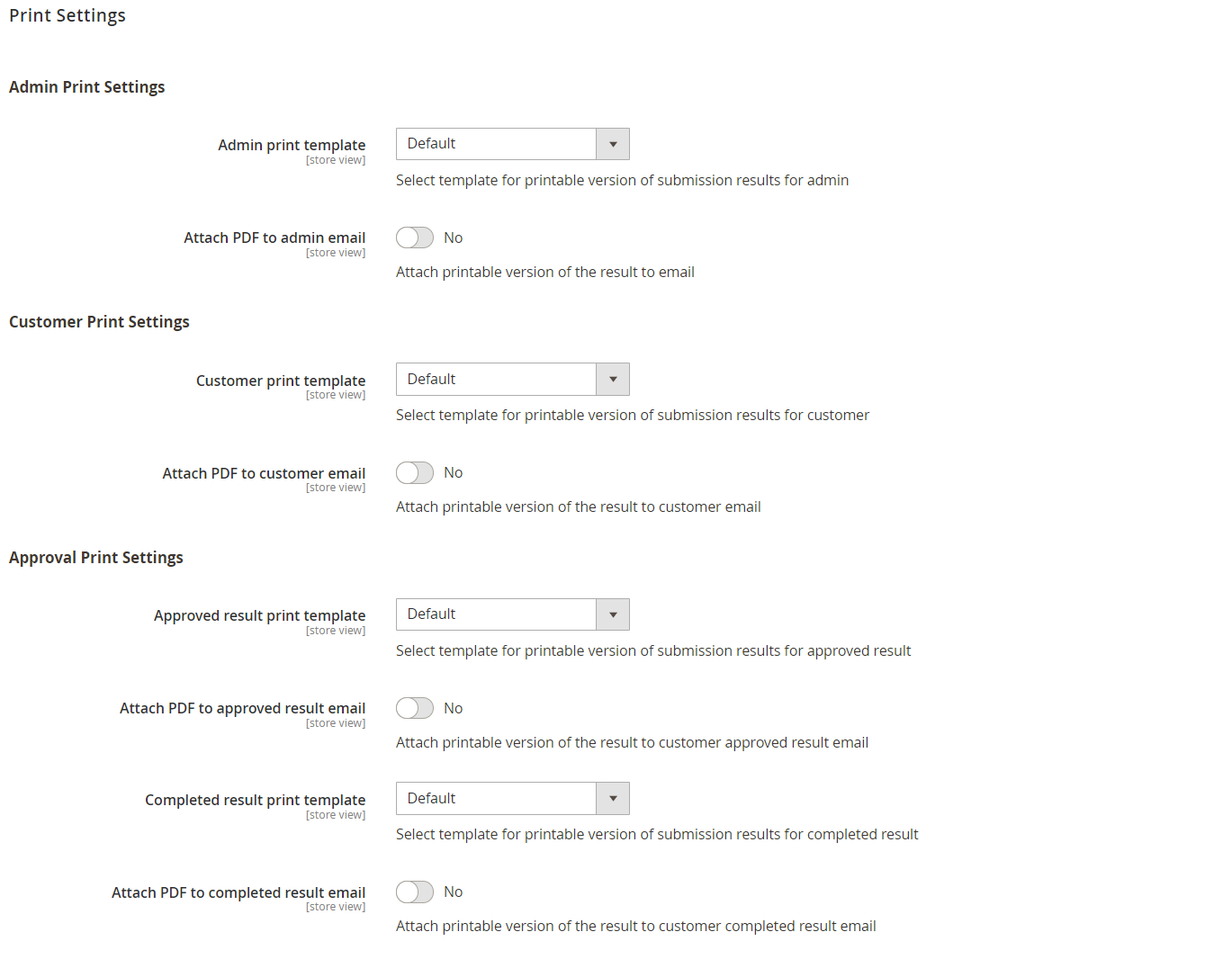
Admin Print Settings
Admin print template
Select template for printable version of submission results for admin.
Attach PDF to admin email
Attach printable version of the result to email.
Customer Print Settings
Customer print template
Select template for printable version of submission results for customer.
Attach PDF to customer email
Attach printable version of the result to email.
Approval Print Settings
Approved print template
Select template for printable version of submission results for approved result.
Attach PDF to approved result email
Attach printable version of the result to customer approved result email.
Completed result print template
Select template for printable version of submission results for completed result.
Attach PDF to completed result email
Attach printable version of the result to customer completed result email.
Role-Specific Templates
The Print PDF add-on supports separate templates for different audiences and workflow stages. This allows you to control what information is included in each PDF:
- Admin template: May include internal notes, submission metadata, and full customer details for internal processing.
- Customer template: A clean, professional document suitable for customer records, excluding internal data.
- Approval templates: Tailored for approved or completed submissions — useful for generating confirmation documents or certificates.
Use Cases
- RMA Authorizations: Generate printable return authorization forms that customers can include with returned merchandise.
- Compliance Documents: Create formal records of form submissions for regulatory compliance, auditing, or legal purposes.
- Certificates & Tickets: Issue event tickets, course completion certificates, or membership documents based on form submissions.
- Quote Documentation: Produce professional PDF versions of quote requests or order forms with company branding.
- Application Forms: Generate printable copies of job applications, registrations, or enrollment forms for offline review.
- Archiving: Automatically create PDF records of all submissions for long-term storage and retrieval.
The Print PDF add-on is available free of charge for all WebForms 3 users with an active support and updates plan. Install via Composer:
composer require mageme/module-webforms-3-print
Custom PDF Template
Follow these steps to create and set new e-mail template for your web-forms:
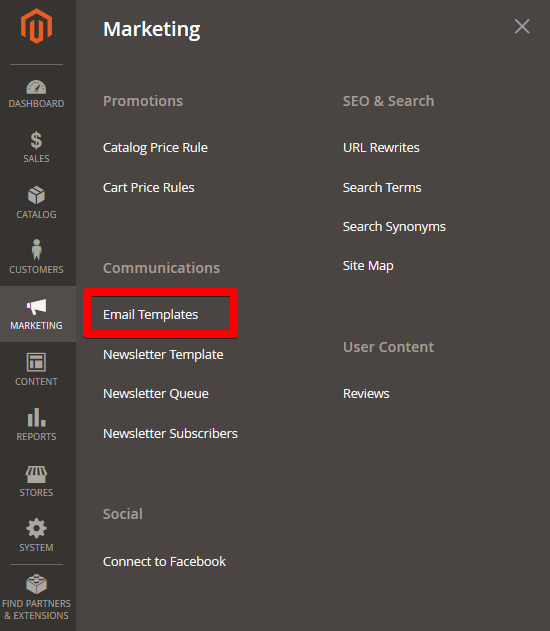
- Go to admin backend Marketing > Email Templates
-
Press Add New Template
-
In the Load Default Template block select WebForms: Print Result and press Load template.
-
Default template will be loaded in Template Information block and now you can modify it.
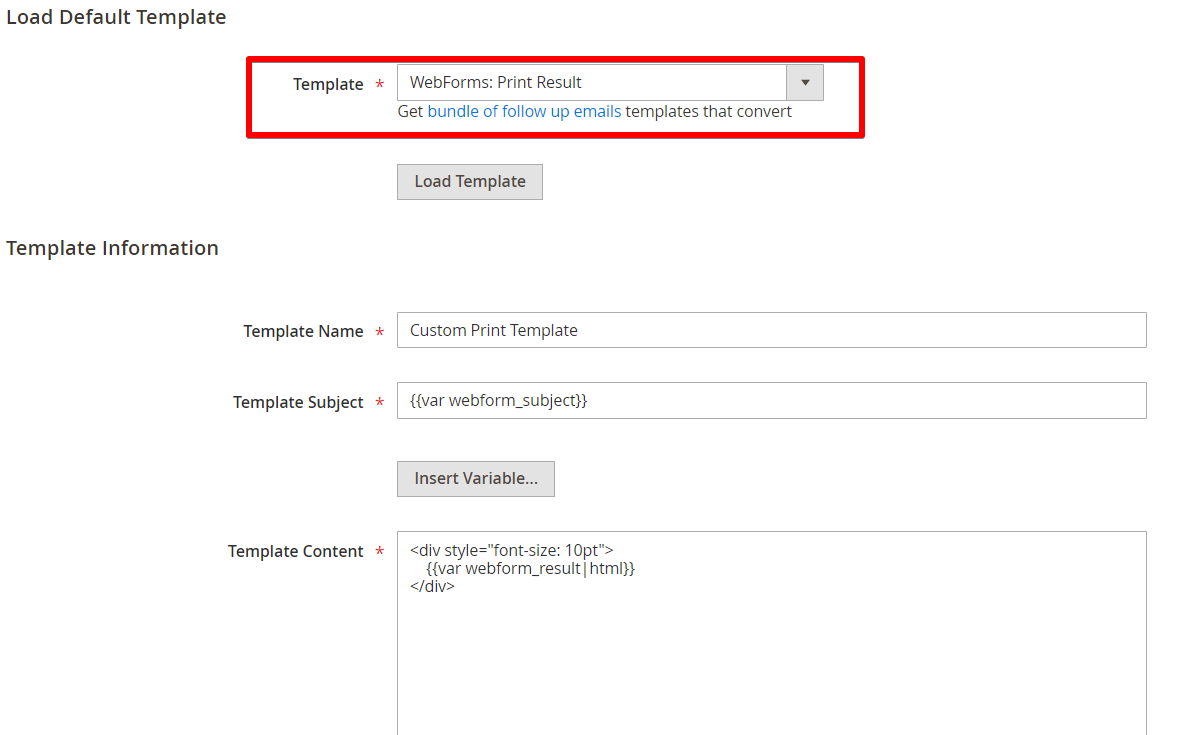
Please try to use inline styling for PDF templates as it works best with PDF export. For more details please refer to the mPDF CSS support
-
Save modified template. Now go to Web-forms section and edit needed web-form.
-
Go to Print Settings tab and select required template.
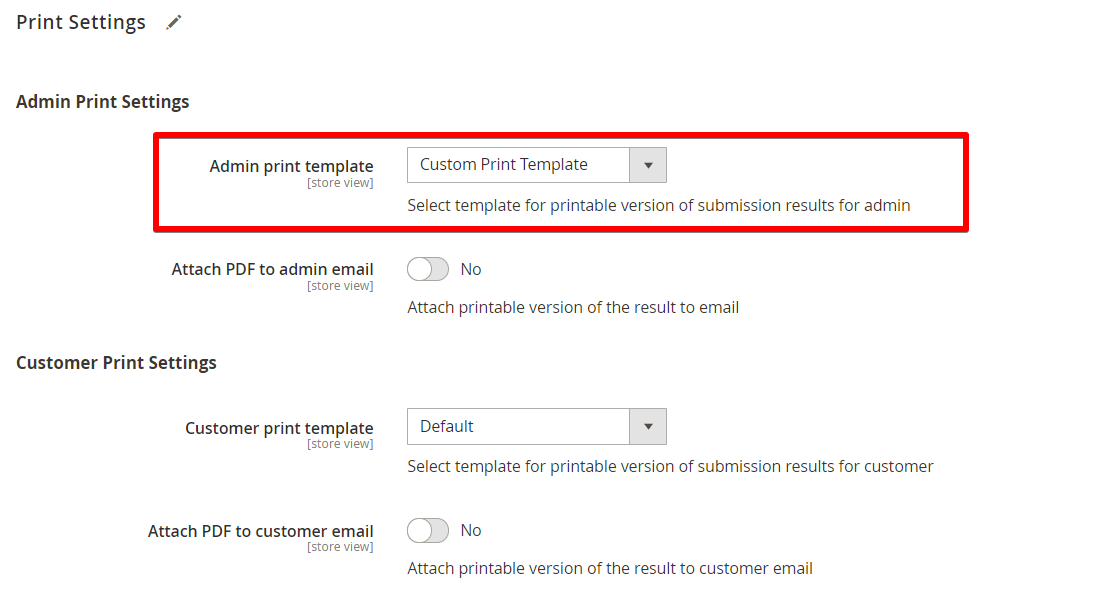
- Save web-form.
WebForms email template variables
{{var webform_subject}} - Subject generated from selected fields
{{var webform_result|html}} - Default result presentation
Field variables
{{var result.field_code.name}} - Field name
{{var result.field_code.result_label}} - Field result label
{{var result.field_code.value}} - Field value
Example: you have customer name input field with name Type your name here, result label Name and code fullname.
{{var result.fullname.result_label}} : {{var result.fullname.value}} - will print Name : John Doe in the notification e-mail.