Product Options Add-on
Installation
You need to have WebForms Pro 3 installed prior to this add-on installation.
Install the package with commands:
composer require mageme/module-webforms-3-product-options
php bin/magento module:enable MageMe_WebFormsProductOptions
php bin/magento setup:upgrade
Update
Update the package with commands:
composer update
php bin/magento setup:upgrade
Remove
Uninstall the package with command:
composer remove mageme/module-webforms-3-product-options
Sample forms
You can import sample forms using Import Form in the Manage Forms page:
System Configuration
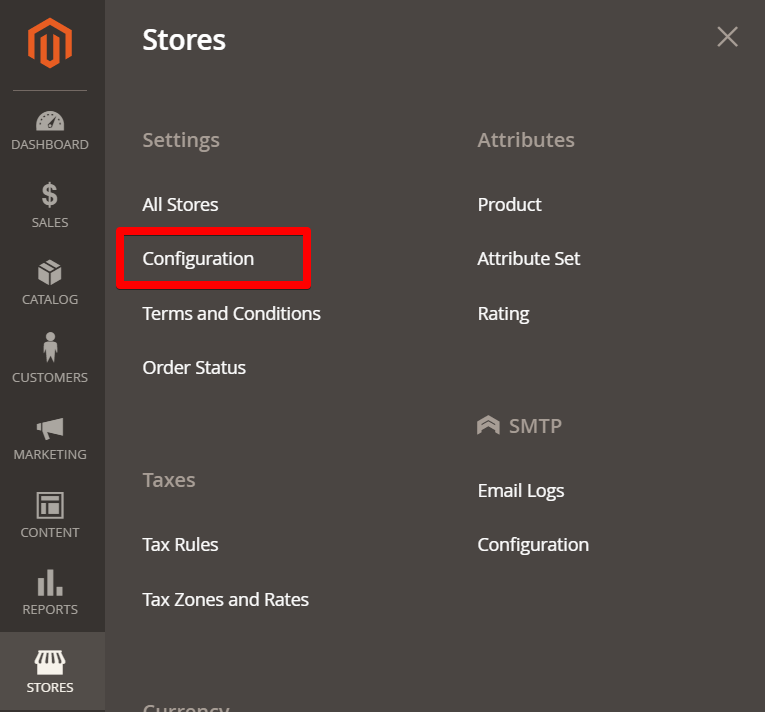
You can access the system configuration through the Stores > Configuration > WebForms admin page.
Product Options Add-on
Enable Add-on
Enable or disable the add-on functionality.
Default Form
Select the form you would like to use by default for your products.
Default Form Template
Select the default desired template for the options form.
Button Text
Set the text for the button for Popup template.
Button Selector
Set the html selector for the button position on the product view page.
Button CSS Classes
Add custom CSS classes for the button.
Popup Title
Set the title for the popup window. You can use the {{var product.name}} variable for the product name.
Button Selector List
Set the selector for precise placement of the button in the product listings.
Popup CSS classes
Add custom CSS classes for the popup window.
Product Configuration
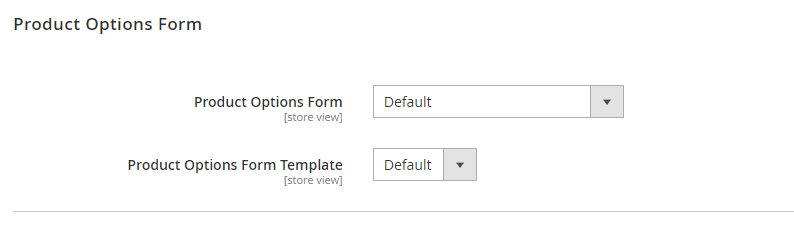
Open the product edit page and scroll to the "Product Options Form" configuration block.
Select the desired form in the "Product Options Form" parameter and desired template in the "Product Options Form Template".
The "Default" value is defined in the System Configuration section.
Bulk Product Update
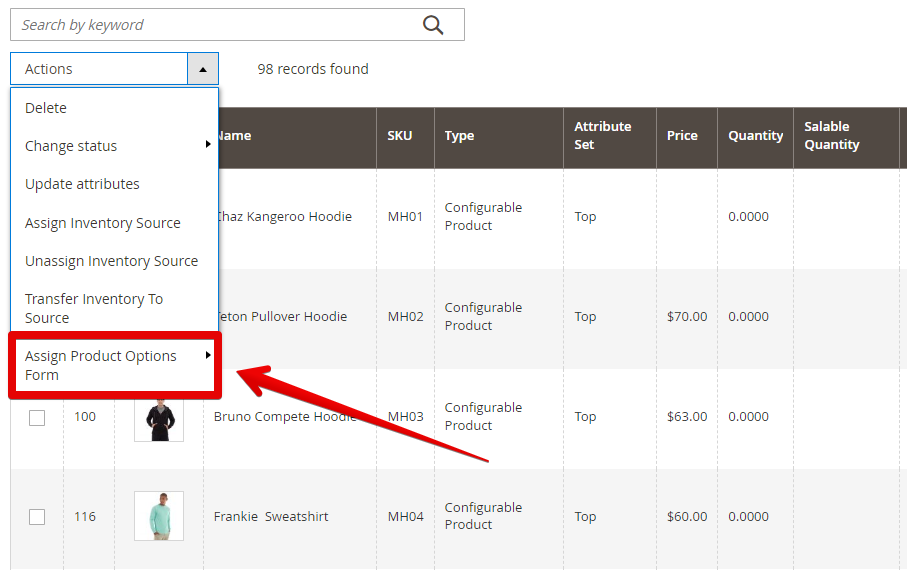
Please use the product grid mass actions to set the form for multiple products at once.
Troubleshoot
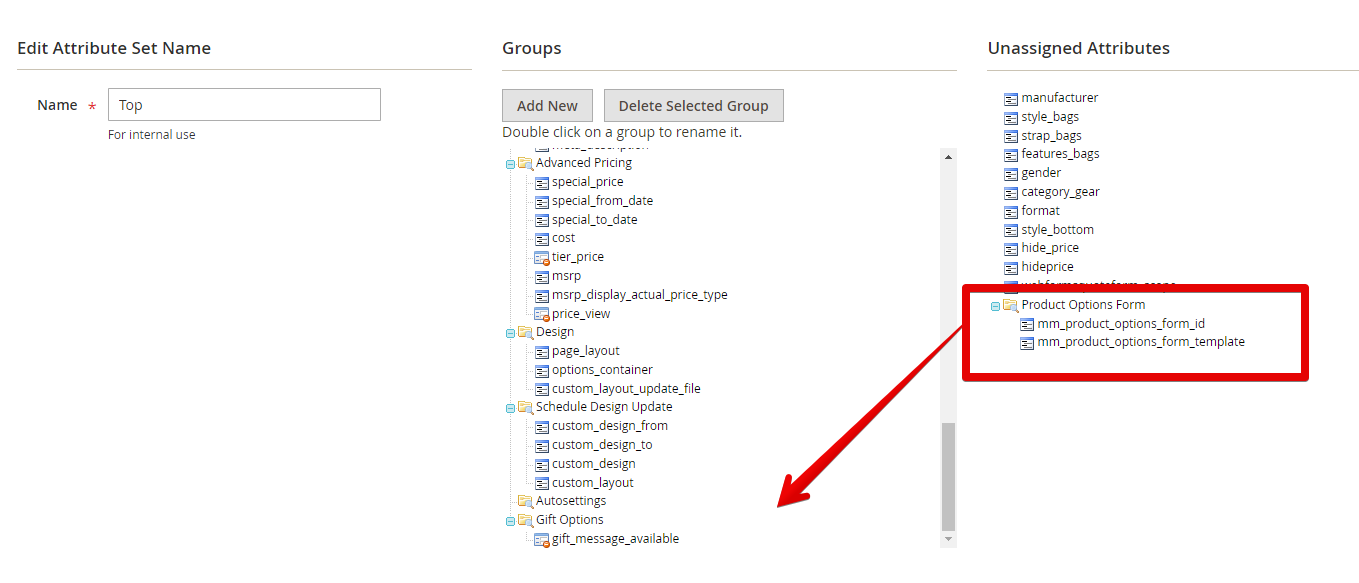
If you don't see the "Product Options Form" configuration block on the product edit page please add that block manually through the Stores > Attribute Set configuration.
Price, SKU, Weight, Product Link
The price and sku modifications are available for the following field types:
- Select
- Radio Group
- Checkbox Group
- Gallery / Select Image
SKU Modification
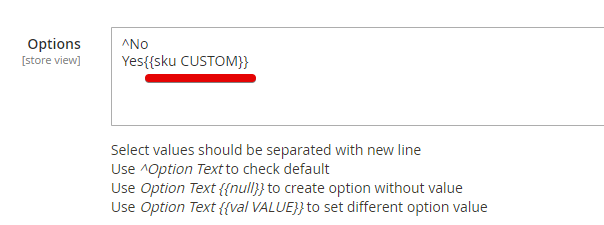
Please add the {{sku SOME-TEXT}} to the option to add modification to the cart item.
Price Modification
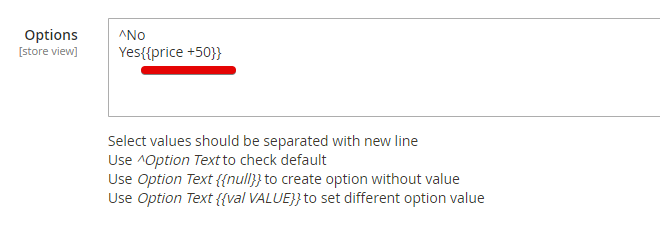
Please add the {{price +100}}, {{price -100}}, {{price +15%}} or {{price -15%}} to the option to modify the price of the cart item.
Weight Modification
Please add the {{weight +0.5}} or {{weight -0.5}} to the option to modify the weight of the cart item.
Product Link
You can link options to products in your catalog. If the customer selects such option an additional product from the catalog will be added to the cart. The availability of the option is dependent on the availability of the linked product.
Please add the {{product_link SKU}} to the option.
You can the combination of all modifications at the same time.
Hyvä Theme Compatibility
Install the Hyvä compatibility module:
composer require mageme/module-webforms-3-product-options-hyva
php bin/magento module:enable MageMe_WebFormsProductOptionsHyva
php bin/magento setup:upgrade
The core WebForms Hyvä compatibility module must be installed first.
EasyQuote Compatibility
A form attached to your products can contain required fields, and Magento will not let the product be ordered until they are answered. A quote built in the admin never goes through that form, so a quote line for such a product cannot be turned into an order: the New Order screen refuses it and shows "You need to choose options for your item." next to the line.
If you sell the same products through quotes, use a form without required fields for them. Required fields keep working everywhere the customer configures the product themselves.