Mailchimp Integration Add-on
Installation
You need to have WebForms Pro 3 installed prior to this add-on installation.
Install the package with commands:
composer require mageme/module-webforms-3-mailchimp
php bin/magento module:enable MageMe_WebFormsMailchimp
php bin/magento setup:upgrade
Update
Update the package with commands:
composer update
php bin/magento setup:upgrade
Remove
Uninstall the package with command:
composer remove mageme/module-webforms-3-mailchimp
System Configuration
You can access the system configuration through the Mailchimp > Configuration admin page.
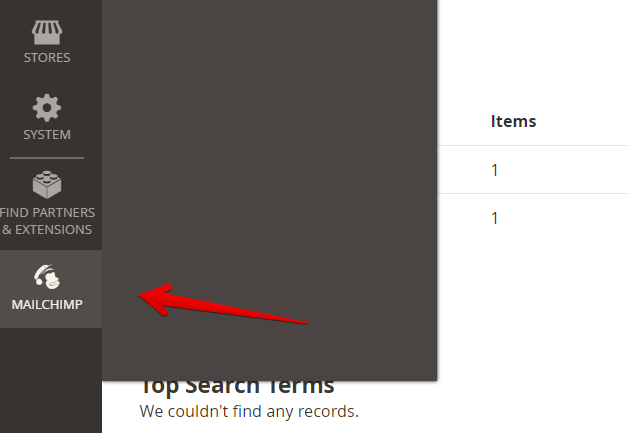
Please follow commentaries on the page for correct configuration.
Form Configuration
Edit the form on Manage Forms page and select the Mailchimp Integration Settings tab to access registration parameters.
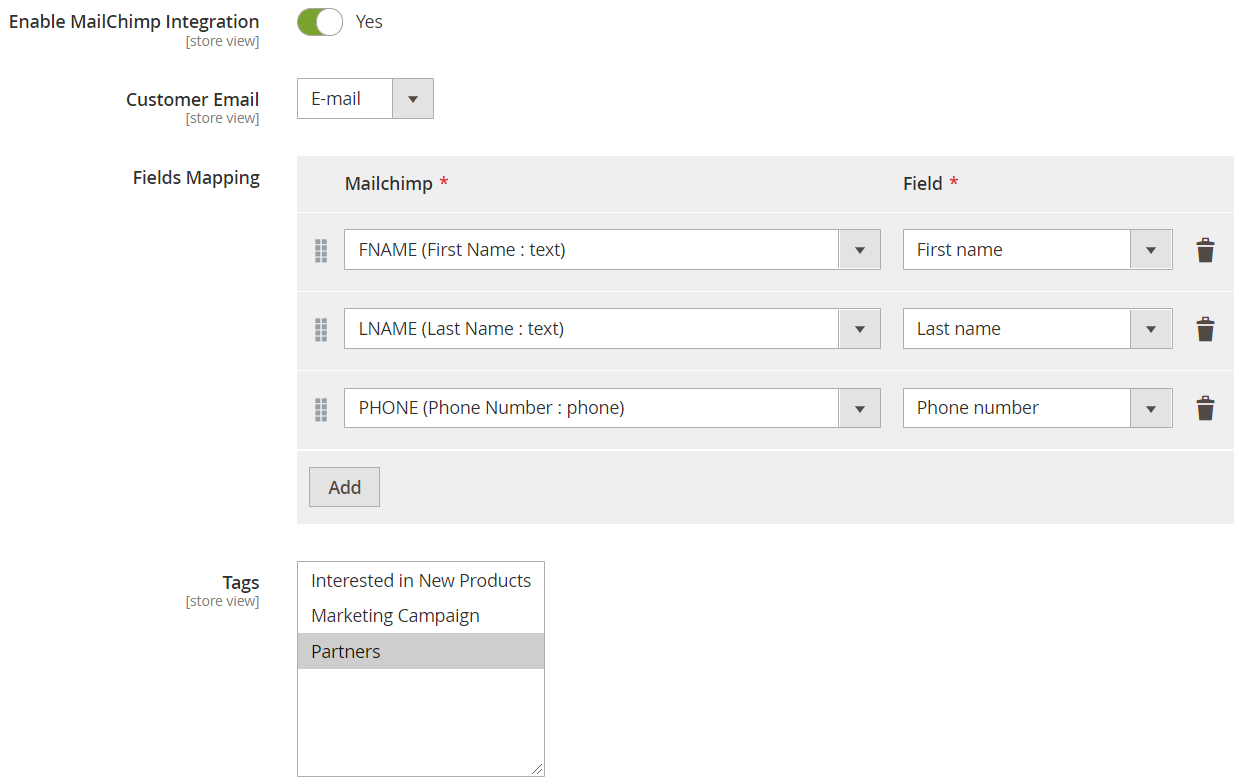
Enable Mailchimp Integration
Enable or disable Mailchimp integration for the form.
Customer Email
Map Mailchimp customer account email to the form email input.
If you leave at Default value the first found Email input type field will be used. If there is no Email input field in the form then the logged in customer email will be used instead.
Fields Mapping
Map Mailchimp contact attributes to form fields.
Tags
Assign Mailchimp tags to new contacts.