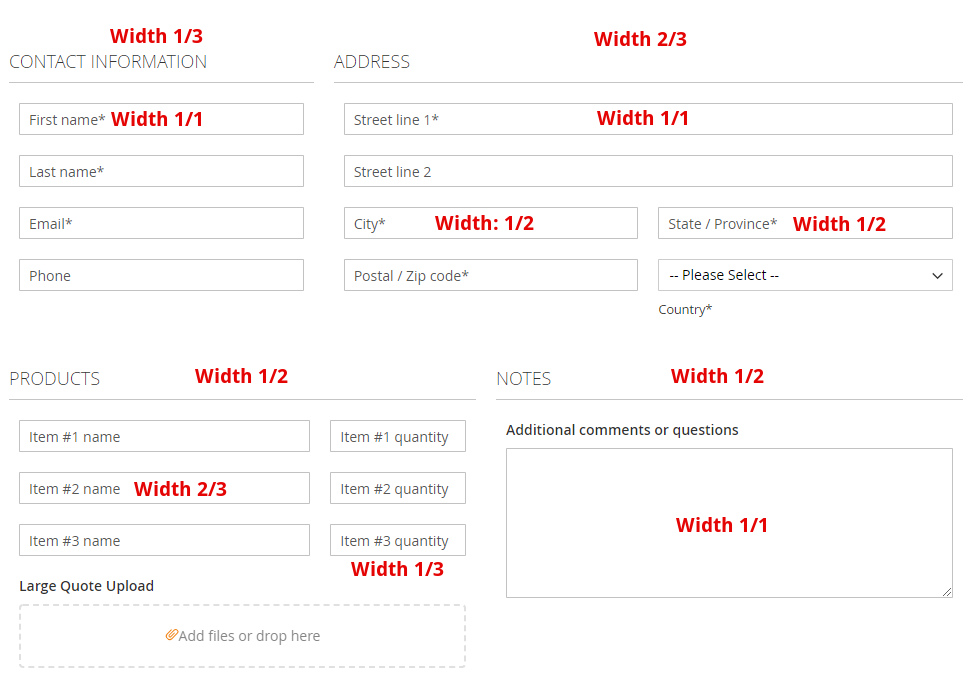
Multi-column Form
WebForms Lite supports up to 2 columns for both fields and fieldsets. Upgrade to WebForms Suite for up to 12 columns.
With WebForms Lite you can create multi-column forms with up to 2 columns of fields in the fieldset and up to 2 columns of fieldsets in the form.
The column layout is created by setting the field width parameter. By utilizing internal responsive grid CSS all fields stay perfectly aligned in all use cases.

Width controls
Please enable width columns in Field and Fieldset tabs.
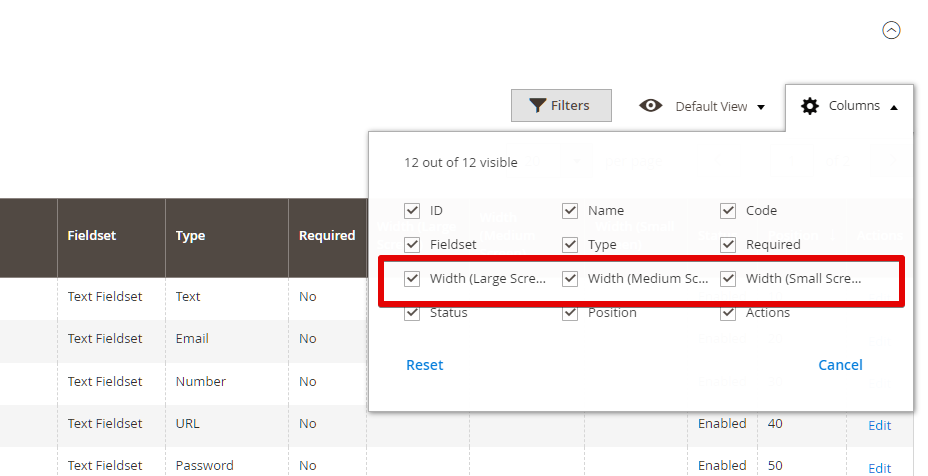
You can also notice new mass action items in Fieldset and Fields tabs grids. This way you can update the whole form layout in 2 clicks.
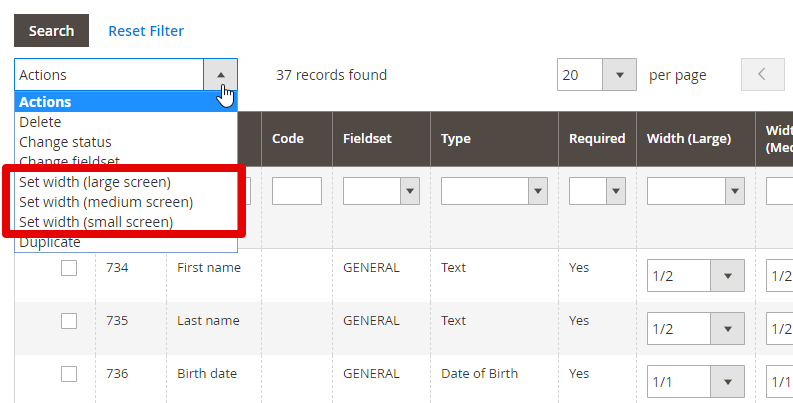
Mass "Edit" action
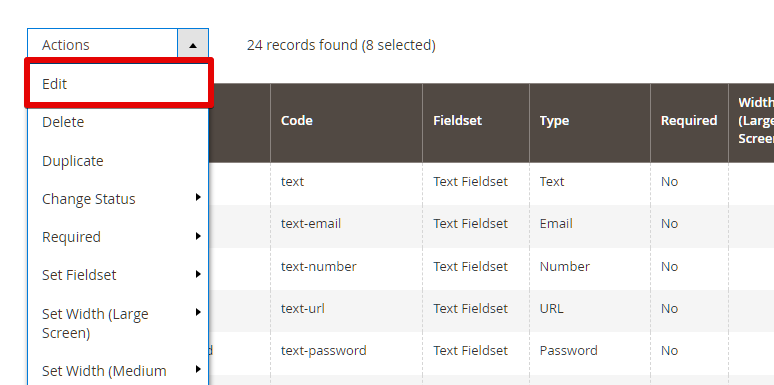
Another way to mass edit widths is to use the mass Edit action. Please select desired fields to edit:
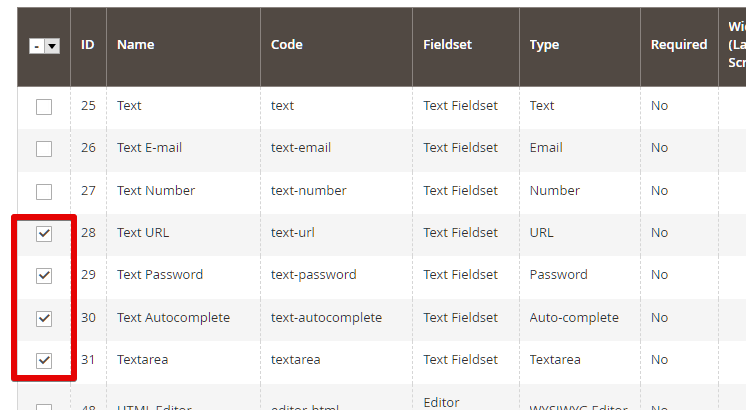
Select the Edit action in the action list.
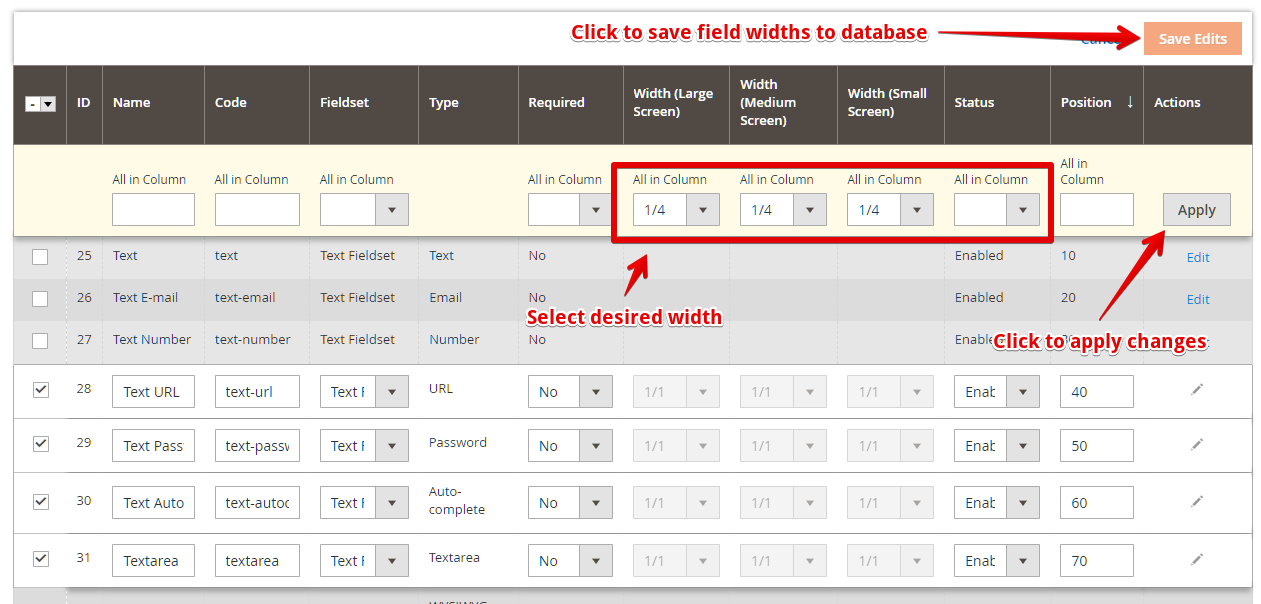
Use the All in Column values to quickly assign desired width settings. After that you click the Apply button and Save Edits to save widths in the database.
Combining fields and fieldsets layouts
By combining fields and fieldsets layouts you can create complex forms within the 2-column limit supported by WebForms Lite.
Below is the commented screenshot with width settings values.