Enable Email Notifications
You can enable various e-mail notifications in WebForms Lite:
- Admin notification
- Customer notification
It is recommended to set the Default e-mail address for notifications in the System Configuration
Admin notifications
WebForms Lite supports 1 admin email recipient. BCC/CC and multiple admin recipients are available in WebForms Suite.
Please select E-mail Settings tab on the form edit page.
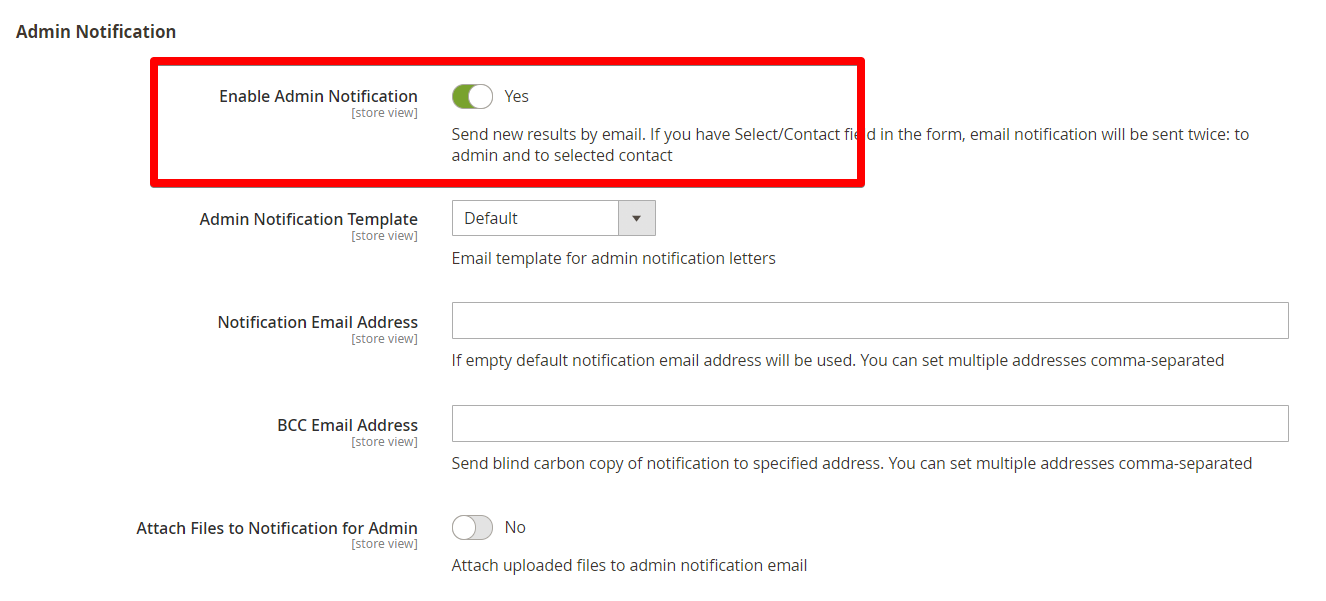
Enable the Enable admin notification parameter and set the Notification e-mail address.
Please set the customer name input field code to name , firstname or lastname to see customer name in the e-mail header.
Customer notifications
Please select E-mail Settings tab on the form edit page.
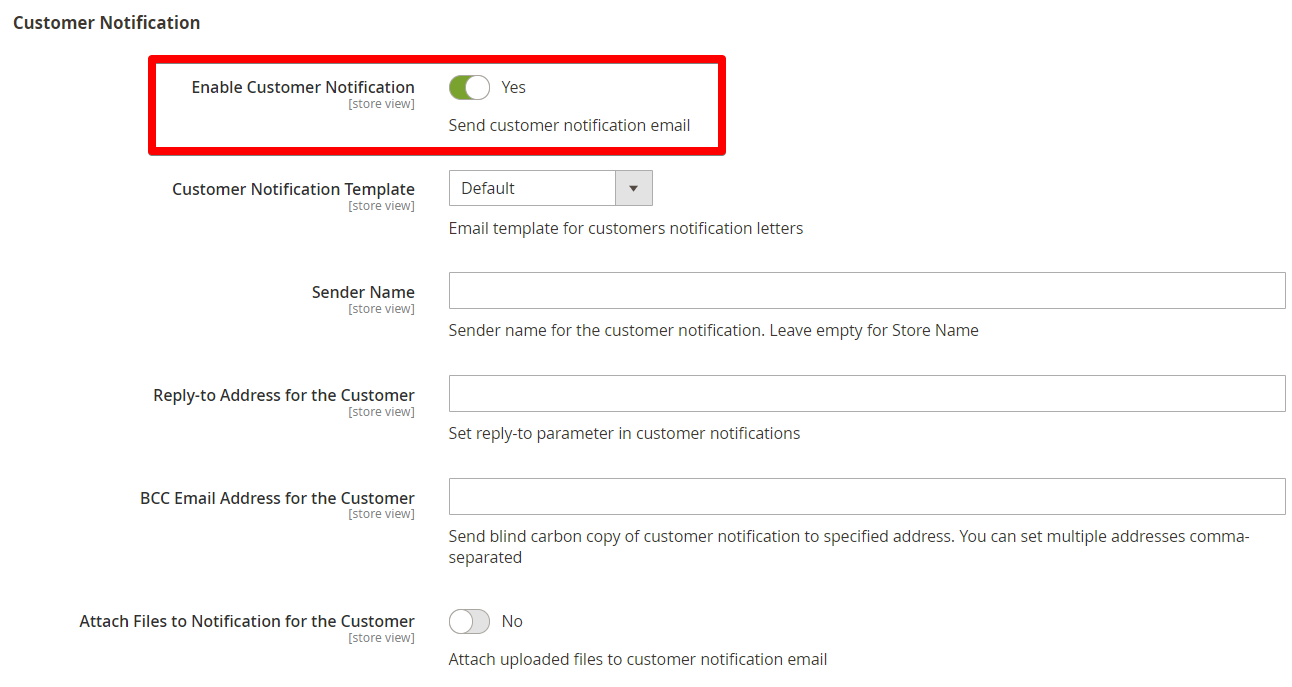
Enable the Enable customer notification parameter.
Please make sure the customer e-mail input field is Text / E-mail type. Otherwise, the system won't know where to send the customer notification.